
Quick verdict
The mistake is thinking 100W is automatically better. It is not always needed. A smaller laptop may not use the extra power. A heavier laptop may need it. A weak cable may block it. And a power bank that advertises a large total output may still give the laptop less power when several devices are connected.
If the laptop may not charge from a portable battery at all, start with the guide to checking power bank compatibility. If the laptop already charges over USB-C, this page helps decide whether 65W is enough or 100W is the safer target.
65W vs 100W at a glance
This table is the fast version. Use it to narrow the decision before looking at product examples.
| Factor | 65W power bank | 100W power bank | What it means |
|---|---|---|---|
| Best for | Light laptops and shorter top-ups | More laptops and more charging headroom | 100W is safer when the original charger is 90W or 100W. |
| Laptop type | MacBook Air-class and similar lower-wattage USB-C laptops | Many larger USB-C laptops, tablets, and mixed work setups | The charger label is the easiest starting clue. |
| Carry weight | Usually easier to carry | Often larger, depending on capacity | A smaller battery that is actually carried can beat a larger one that stays at home. |
| Cable requirement | Still matters | Matters more | A weak USB-C cable can waste the benefit of a 100W power bank. |
| Multi-device charging | Less room for laptop plus phone or tablet | More practical if shared output is handled well | Check single-port and shared-output behavior before buying. |
| Main risk | Underbuying for the laptop | Overbuying for a smaller laptop | The right answer depends on the laptop, not the biggest number on the product page. |
Choose 65W if
A 65W-class power bank is enough when the laptop is already designed around lower-wattage USB-C charging. This is common with thin-and-light laptops, travel laptops, and many everyday work machines.
Choose 65W if:
- the original charger says 45W or 65W;
- the laptop is closer to a MacBook Air-class or lightweight USB-C laptop;
- the goal is a smaller battery for commuting or short travel;
- most charging is a top-up, not a full off-grid workday;
- one device is usually charged at a time.
The advantage is simple: a lighter power bank is easier to carry. That matters because the most useful battery is the one that is actually in the bag when the laptop is low.
The downside is also simple: less room. If the laptop expects 90W or 100W, a 65W-class battery may charge slowly, fail under load, or only slow the battery drain instead of filling it.
Anker Power Bank 20,000mAh 87W
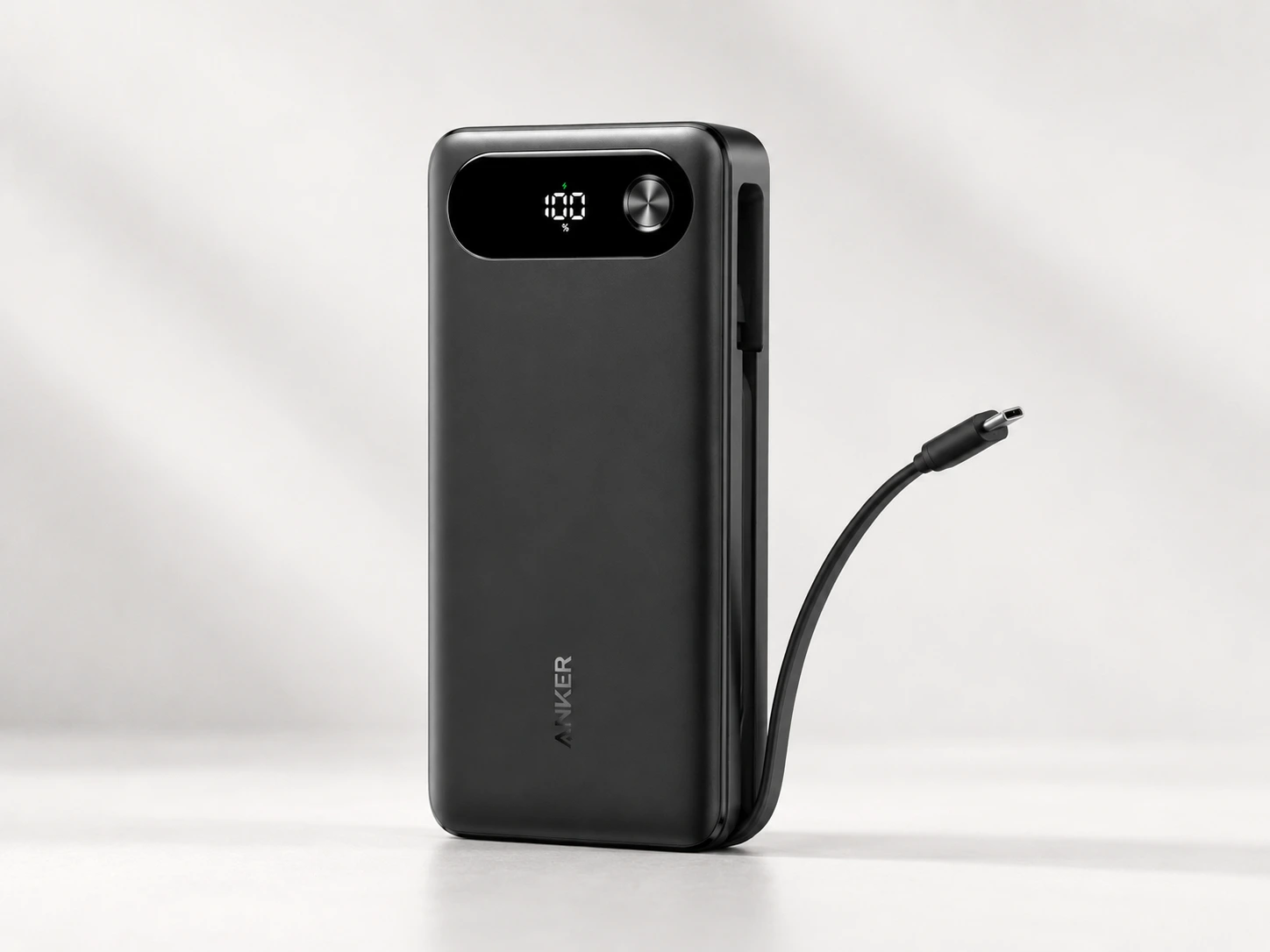
A lighter 20,000mAh option for users who want a more compact setup for USB-C laptops, phones, tablets, and travel bags.
BrandAnker
Power
- Capacity
- 20,000mAh
- Max output
- 87W total
- Single-device output
- Up to 65W
Ports and cable
- Cable setup
- Built-in USB-C cable
- Port layout
- 3-port design
Fit
- Best for
- MacBook Air-class laptops, phones, tablets, and lighter travel setups
- Not ideal for
- High-power workstation laptops that expect 90W–100W or more
Pros
- More compact capacity class than 25K–27K models
- Good fit for lighter USB-C laptops and mixed phone/laptop carry
- Built-in USB-C cable reduces cable clutter
Cons
- Single-device laptop output is lower than 100W+ options
- Not ideal for heavier laptops that expect higher wattage
- Less capacity than larger laptop-focused power banks
This kind of power bank makes sense when portability matters more than maximum charging speed. It is not the right direction for a heavy laptop that expects more power.
Choose 100W if
A 100W power bank is the safer middle ground for many USB-C laptop users. It does not mean every laptop will charge faster, but it gives more room than 65W.
Choose 100W if:
- the original charger says 90W or 100W;
- the laptop is often used while charging;
- extra charging headroom matters;
- a laptop and phone are often charged together;
- buying too weak is a bigger concern than carrying a slightly larger battery.
For many people, this is the practical answer. It is not as extreme as a 140W, 165W, or 300W power bank, but it is much more laptop-relevant than small phone-first batteries.
The tradeoff is that 100W is not always useful. If the laptop only accepts 45W or 65W, the extra rating may not change much. If the cable is weak, the laptop may never see the full output. If several devices are connected, the power bank may split output and reduce what the laptop receives.
Baseus 100W Power Bank 20,000mAh
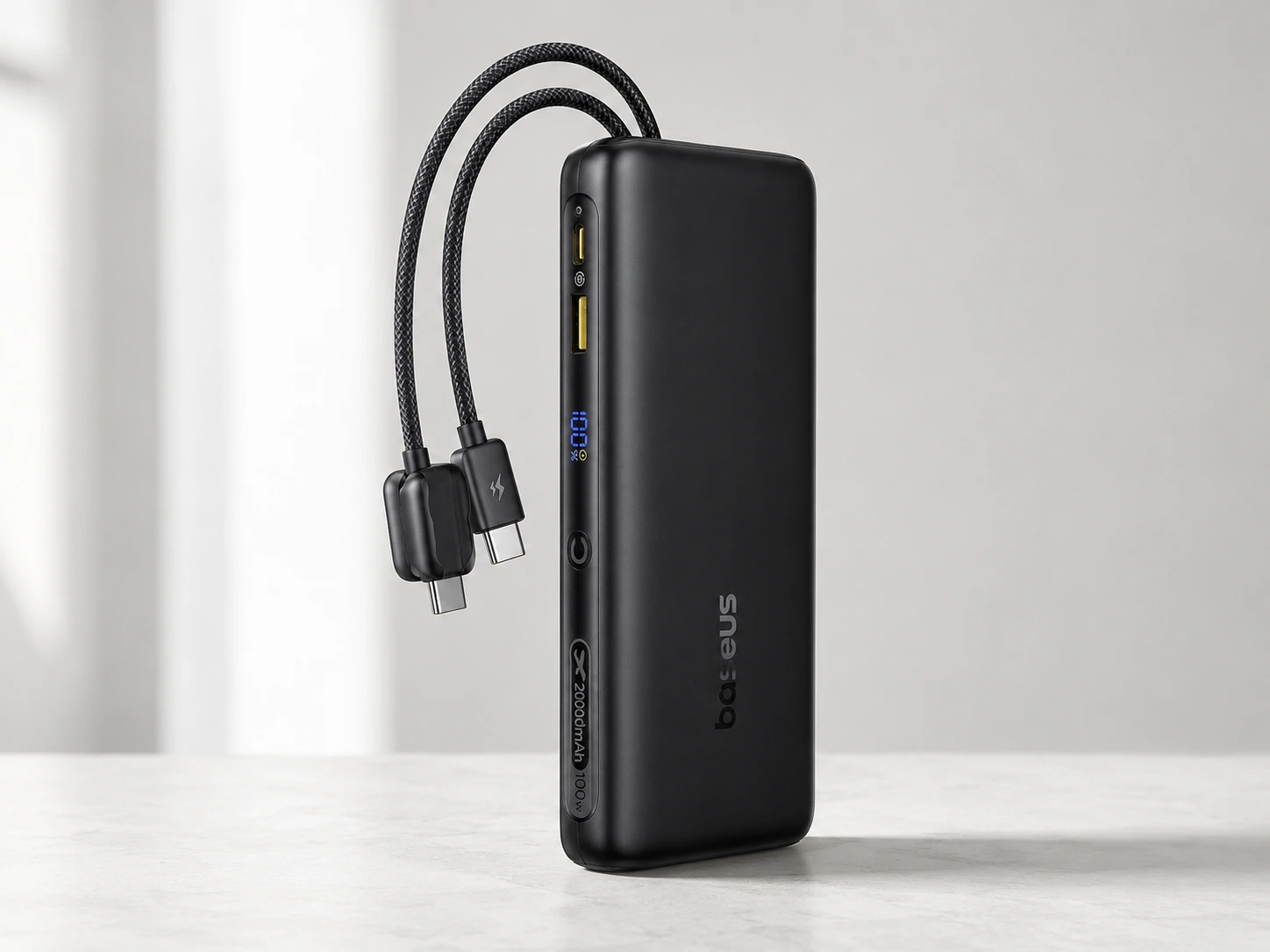
A practical 100W-class option for laptop users who want a smaller 20,000mAh power bank instead of a larger 25K–27K model.
BrandBaseus
Power
- Capacity
- 20,000mAh
- Max output
- 100W
- Output class
- Better suited for many 65W–100W USB-C laptop setups than basic phone power banks
Ports and cable
- Cable setup
- Built-in dual USB-C cables
- Cable note
- Useful for reducing cable clutter, but laptop charging still depends on USB-C PD compatibility.
Fit
- Best for
- Users who want a more compact 100W-class laptop power bank
- Not ideal for
- Users who need the largest possible capacity or sustained high-output workstation charging
Pros
- Practical 100W output class for many USB-C laptops
- 20,000mAh capacity keeps it more manageable than larger 25K–27K models
- Built-in cable design can be convenient for travel
Cons
- Less capacity than 25,000mAh and 27,000mAh options
- May not be ideal for heavier laptops that expect more sustained high wattage
- Confirm port behavior before buying
This is the class to consider when the laptop is more demanding than a light travel machine, but a large high-output battery feels unnecessary.
When 100W is still not enough
Some laptops need more than a 100W-class power bank to feel close to wall-charger behavior. This can happen with larger creator laptops, gaming laptops, workstation-style machines, or laptops that use high-wattage proprietary chargers.
A 100W power bank may still help. It may slow the drain, charge while the laptop sleeps, or work for light tasks. But it may not keep up when the laptop is under heavy load.
Go higher than 100W if:
- the original charger is above 100W;
- the laptop warns that the charger is underpowered;
- several devices are charged at once;
- the power bank needs to behave more like a portable charging hub;
- the laptop is used for heavy workloads while charging.
This is where larger options from the main laptop power bank shortlist make more sense. A 140W, 165W, or premium high-output power bank can provide more room, but only if the laptop and cable can use it.
Do not buy a higher-wattage model just because the number looks safer. If the laptop cannot use that extra power, the benefit may be small.
Cable and charger details that matter
The USB-C cable can be the part that ruins the setup.
A laptop, power bank, and cable have to work together. If the cable is not rated for the wattage you expect, the laptop may charge slowly or not charge properly. This is especially important around 100W and higher.
For 65W charging, many decent USB-C cables may work. For 100W charging, be more careful. For 140W and higher, cable choice matters even more.
Built-in cables can be convenient because there is less to forget. But they still need to support the output the product claims. If the power bank is attractive mainly because it has built-in cables, check reviews for cable durability and output behavior.
USB Power Delivery is the standard behind higher-wattage USB-C charging. The technical details can get complicated, but the practical rule is easy: the power bank must offer enough USB-C PD output, and the cable must support it. For the official technical background, see the USB-IF USB Power Delivery page.
Capacity is not the same as wattage
Wattage and capacity answer different questions.
Wattage tells whether the power bank can deliver enough power to the laptop. Capacity tells how much energy the battery stores.
That means a 20,000mAh 100W power bank can be better for laptop charging than a 30,000mAh phone power bank with weak output. The larger phone battery may store more energy, but it may not deliver the right kind of power to the laptop.
Use this simple split:
- Wattage answers: “Can this power bank charge the laptop properly?”
- Capacity answers: “How much backup time might it provide?”
- Cable rating answers: “Can the power actually reach the laptop?”
- Shared output answers: “What happens when more than one device is connected?”
For a laptop power bank, solve wattage first. Then compare capacity.
Travel note: check Wh before flying
If the power bank will go on flights, check Wh before buying.
Airline battery rules are usually based on watt-hours, not only mAh. Many laptop power banks are designed around common travel limits, but marketing phrases are not enough.
The FAA says spare lithium batteries and power banks should go in carry-on baggage, and the common limit is 100Wh per battery. Batteries from 101Wh to 160Wh usually need airline approval and have additional limits. Check the official FAA lithium battery guidance and the airline rules before flying.
This matters because many laptop power banks are close to the travel threshold. A model that is fine for one trip may still need checking for another airline or route.
Simple decision checklist
Use this as the final decision path.
- Check the original laptop charger.
- If it says 45W or 65W, a 65W-class power bank may be enough.
- If it says 90W or 100W, choose a 100W power bank.
- If it says more than 100W, check 100W+ options and the laptop’s official charging requirements.
- If several devices are charged at once, check shared-output behavior.
- If a separate cable is used, check the cable rating.
- If the power bank will be used for travel, check Wh and airline rules.
- If the laptop does not charge over USB-C, do not buy a USB-C power bank expecting it to solve the problem.
If the laptop already failed to charge from a power bank, use the guide for a power bank that charges a phone but not a laptop before buying another one.
FAQ
Is 65W enough for a laptop?
65W can be enough for many lighter USB-C laptops, especially if the original charger is 45W or 65W. If the laptop charger is 90W or 100W, a 65W power bank may be too weak.
Is 100W safe for a smaller laptop?
In normal USB-C PD charging, the laptop draws what it can use. A 100W power bank does not force 100W into a smaller laptop, but the cable and device still need to be compatible.
Will a 100W power bank charge faster than 65W?
Only if the laptop can accept more than 65W and the cable supports it. If the laptop is limited to 65W, a 100W power bank may not make charging faster.
Does mAh matter more than watts?
No. For laptop compatibility, wattage comes first. Capacity matters after the power bank can actually deliver enough USB-C PD output.
Do I need a 100W USB-C cable?
If 100W charging is the goal, use a cable rated for 100W. A weak cable can prevent a capable power bank from charging the laptop properly.
Why does my laptop still drain while plugged into a power bank?
The power bank may be underpowered, output may drop when other devices are connected, the cable may be limiting charging, or the laptop may be using more power than the power bank provides.
Should I buy 140W or 165W instead?
Only if the laptop or multi-device setup can use the extra output. For many everyday laptops, 100W is already enough. For heavier laptops, 100W+ can make sense.