
Quick answer
A phone is easy to charge. Many phones are fine with low or medium USB-C output. A laptop is different. It may need 45W, 65W, 100W, or more. It may also require the right USB-C charging standard and a cable that can carry the required wattage.
So do not start by buying another power bank blindly. First find the weak link.
Fast diagnosis
The fastest test is simple: unplug every other device, use one known-good USB-C cable, connect to the laptop’s charging-capable USB-C port, and compare the laptop charger wattage with the power bank’s USB-C PD output.
Check these first:
- Does the laptop actually support USB-C charging?
- What wattage is printed on the original laptop charger?
- What is the exact USB-C PD output of the power bank port you are using?
- Is the USB-C cable rated for laptop charging?
- Does the power bank reduce output when another device is plugged in?
If those checks sound unclear, start with the full guide to checking whether a power bank can charge your laptop. If wattage is the confusing part, read the 65W vs 100W power bank comparison.
Why your phone charges but your laptop does not
A phone charging successfully does not prove that the power bank is laptop-ready.
The phone may only need a small amount of power. The laptop may need several times more. A phone may charge from a port that gives 18W, 20W, or 30W. Many laptops expect 45W, 65W, 90W, 100W, or higher.
That is why a large capacity number can be misleading. A 30,000mAh phone power bank can still be the wrong tool for a laptop if its USB-C output is too weak. Capacity tells you how much energy the battery stores. Wattage tells you whether it can deliver enough power to the laptop.
Cause 1: The laptop does not charge over USB-C
This is the first thing to check because it can make every other fix useless.
Not every USB-C port can charge a laptop. Some ports are for data, displays, docks, or accessories. Some laptops charge through only one specific USB-C port. Others do not support USB-C charging at all and require a barrel plug or manufacturer power adapter.
Check these signs:
- The original laptop charger uses USB-C.
- The manual says USB-C charging, USB-C Power Delivery, or PD charging.
- The laptop has a specific USB-C port marked for charging.
- The laptop charges normally from a known USB-C wall charger.
If the laptop does not accept USB-C charging, a USB-C power bank will not solve it.
Do not buy a random adapter. If the laptop needs a proprietary charger, do not buy a random barrel-plug adapter just because it fits. Use the original charger or a manufacturer-approved replacement. Wrong voltage or polarity can damage hardware.
Cause 2: The power bank output is too low
This is the most common reason.
A basic power bank can be perfect for phones and still too weak for a laptop. If the USB-C output is 18W, 20W, 22.5W, or 30W, it is usually a phone-first battery. Some tablets and small devices may still work, but many laptops will refuse it or charge so slowly that it feels broken.
Compare the original laptop charger with the power bank:
- 45W laptop charger: a 65W-class or 100W-class power bank may be enough.
- 65W laptop charger: 65W can work, but 100W gives more room.
- 90W or 100W laptop charger: start with a 100W power bank.
- Above 100W: check the laptop’s official charging requirements before buying.
For product research, use Best Laptop Power Banks after you know the wattage target.
Cause 3: The USB-C cable is the bottleneck
The cable can make a good power bank look bad.
This is common because people often reuse a phone cable. The connector fits, so it feels like it should work. But USB-C cables are not all the same. Some are fine for phones but not for laptop charging.
Try this:
- Use only one cable.
- Use the shortest reliable cable available.
- Use a cable rated for the wattage your laptop needs.
- Test again with no phone, tablet, or other device connected.
If the laptop starts charging with a better cable, the power bank was not the main problem.
Anker USB-C to USB-C Cable 100W 2-Pack
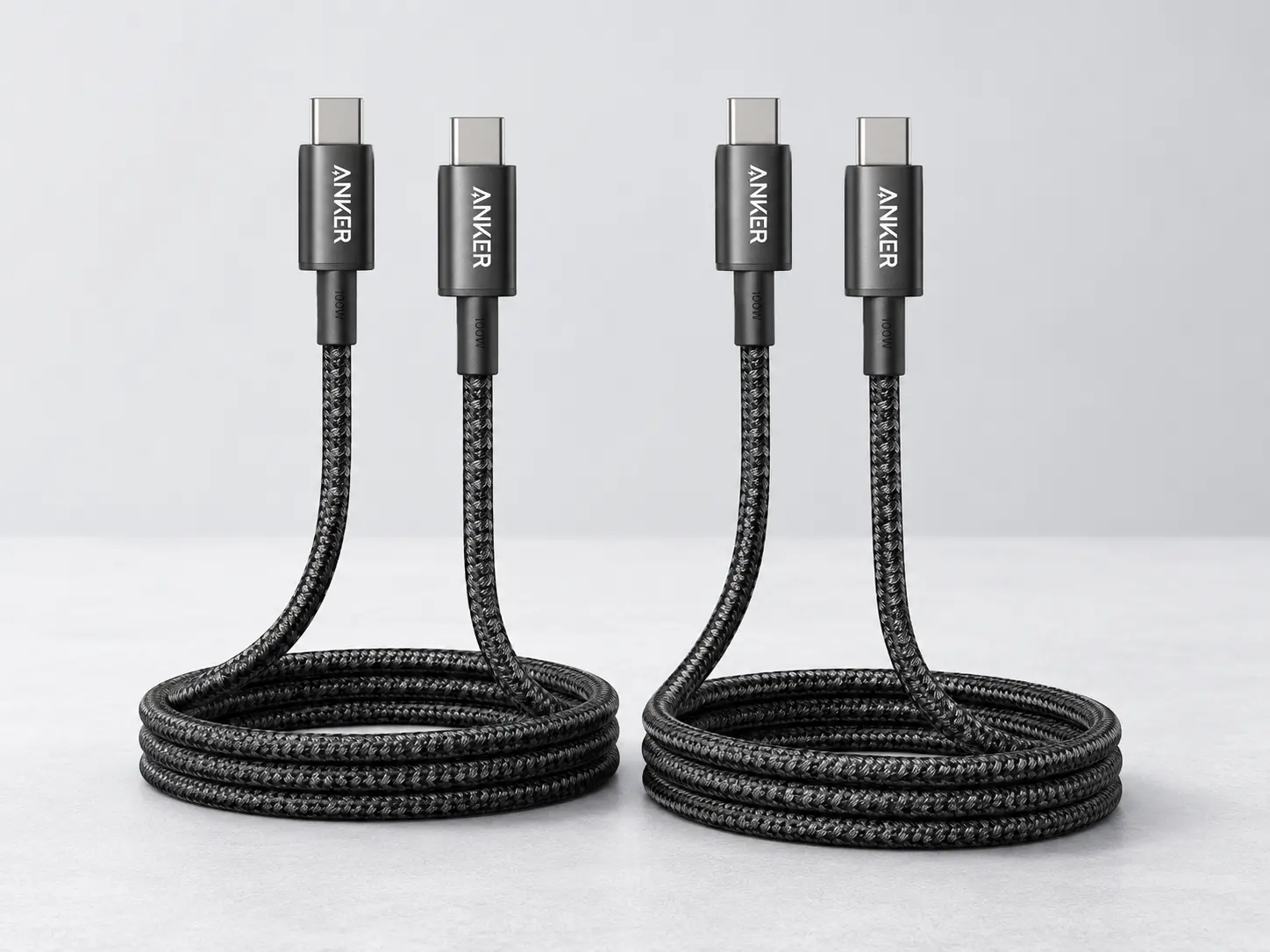
A simple laptop-rated USB-C cable option to test whether the old cable is limiting laptop charging.
BrandAnker
Charging role
- Product type
- USB-C to USB-C charging cable
- Listed charging rating
- 100W
- Pack
- 2-pack, 6 ft
Best use
- Best for
- Retesting a laptop power bank setup when the current cable may be the bottleneck
- Good match
- 45W, 65W, and 100W USB-C laptop charging setups
- Not for
- Video output or proving 140W+ laptop charging behavior
Pros
- Simple fix to test before replacing the power bank
- 100W rating fits many common USB-C laptop charging setups
- 2-pack makes it easier to keep one cable in the bag
Cons
- Not the right cable if the goal is 140W+ charging
- Not intended for video output
- A better cable will not help if the power bank output is too low
For 100W laptop charging, a 100W-rated cable is a practical starting point. For 140W or higher charging, look for a higher-rated USB-C cable instead of assuming a 100W cable is enough.
Cause 4: The power bank drops output when several devices are connected
A power bank may advertise a large total output, but the laptop does not always receive that full number.
For example, a power bank can behave differently in these two situations:
- Laptop connected alone.
- Laptop plus phone connected at the same time.
When another device is plugged in, the power bank may split output across ports. The laptop may then charge slower, stop charging, or show a weak-charger warning.
Test this before replacing anything:
- Charge the power bank.
- Disconnect every device.
- Connect only the laptop.
- Wait 30–60 seconds.
- Check whether the laptop reports charging.
- Then add the phone and see whether laptop charging changes.
If the laptop only fails when another device is attached, the issue is shared output, not necessarily a broken power bank.
Cause 5: The laptop is using more power than the power bank provides
Sometimes the laptop is technically charging, but still draining.
This can happen when the laptop is under load. Video editing, gaming, compiling, rendering, multiple monitors, high brightness, and heavy browser sessions can use more power than a smaller power bank supplies.
The laptop may show:
- plugged in, not charging;
- slow charging;
- weak charger warning;
- battery level staying flat;
- battery level falling more slowly than usual.
That is not always a failure. It can mean the power bank is helping, but not enough to fully keep up.
Cause 6: You need a diagnostic tool, not another guess
If you often troubleshoot USB-C charging, a USB-C power meter can be useful. It sits between the power bank and the device and shows whether power is actually flowing.
This is not required for every reader. Most people can solve the problem by checking wattage and using a better cable. But if you are comparing several power banks, cables, laptops, or chargers, a meter saves guessing.
Plugable USB-C Voltage and Amperage Meter
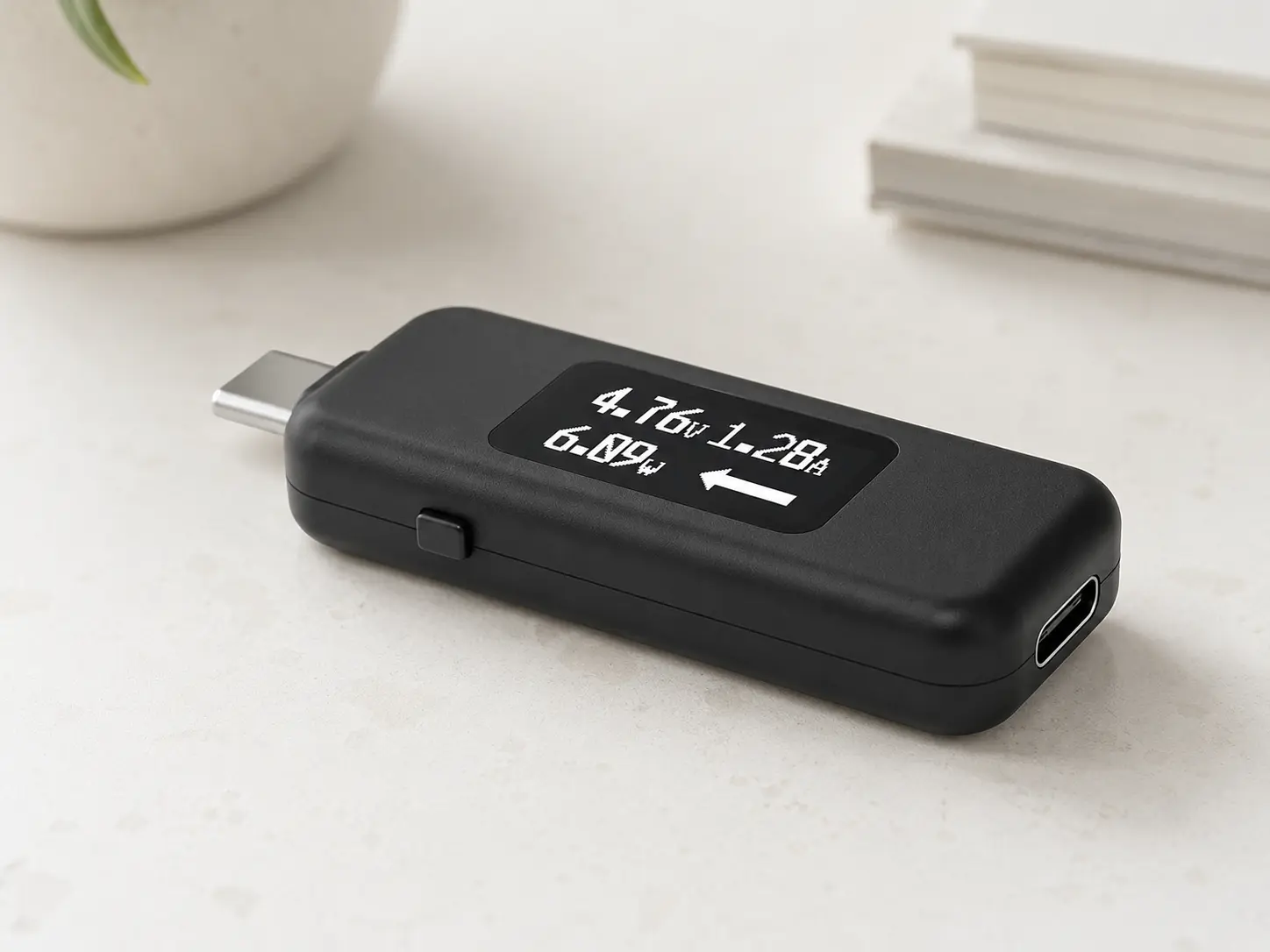
A diagnostic tool for checking whether power is actually flowing between a USB-C power bank, cable, and laptop.
BrandPlugable
Diagnostic role
- Product type
- USB-C power meter / tester
- Measures
- Voltage and amperage display
- Current direction
- Directional flow visualization
Best use
- Best for
- Checking whether the laptop is receiving power from the power bank
- Useful when
- The laptop says plugged in but not charging, charges slowly, or does nothing
- Not for
- Fixing low output by itself; it only helps identify the weak link
Pros
- Helps separate cable problems from power bank problems
- Shows voltage and amperage instead of guessing
- Useful for repeated USB-C charging troubleshooting
Cons
- Diagnostic tool only, not a power source
- Extra step that casual users may not need
- Does not solve a laptop that lacks USB-C charging support
A meter does not fix low output. It helps prove where the problem is: power bank, cable, laptop port, or shared-output behavior.
Product fixes to consider after diagnosis
These are not random accessories. Each one solves a different failure point.
| Ref | Product | Fix type | Best when | What to check |
|---|---|---|---|---|
| 1 | Anker USB-C to USB-C Cable 100W 2-Pack | Laptop-rated USB-C cable | Testing cable bottlenecks on 45W–100W USB-C laptop setups | Not intended for video output; use a higher-rated cable for 140W+ setups. |
| 2 | Plugable USB-C Voltage and Amperage Meter | USB-C power meter | Diagnosing whether a cable or power bank is delivering laptop-level USB-C power | Use it as a tester, not as a charger; verify compatibility with the charging setup. |
| 3 | Baseus 100W Power Bank 20,000mAh | Check current product page | Slimmer 100W laptop charging setup | Check current product page |
| 4 | Anker SOLIX C300 Portable Power Station | Portable power station | Laptops that need an AC adapter, small desk backup, and emergency charging setups | Much larger than a laptop power bank; not a pocket/travel power bank replacement. |
If the cable is weak
Replace the cable first. This is cheaper than replacing the power bank and often solves the issue.
Use a laptop-rated USB-C cable that matches the wattage target. A 100W cable is enough for many 65W and 100W laptop setups. A higher-output laptop or 140W+ power bank needs a higher-rated cable.
If the power bank is too weak
Replace the power bank only after confirming the laptop supports USB-C charging and the cable is not the issue.
For many USB-C laptops, a 100W-class power bank is the practical starting point.
Baseus 100W Power Bank 20,000mAh
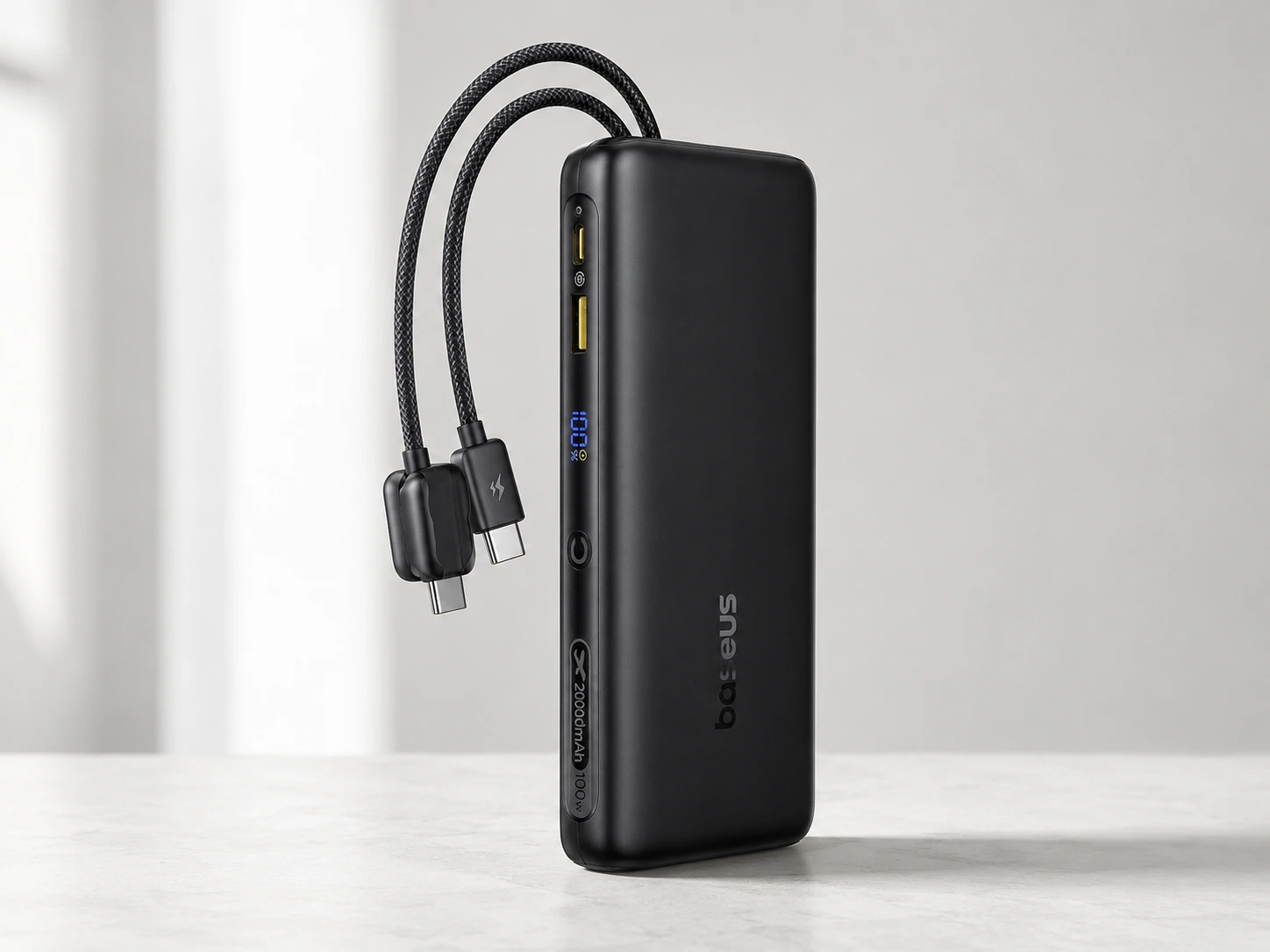
A practical 100W-class option for laptop users who want a smaller 20,000mAh power bank instead of a larger 25K–27K model.
BrandBaseus
Power
- Capacity
- 20,000mAh
- Max output
- 100W
- Output class
- Better suited for many 65W–100W USB-C laptop setups than basic phone power banks
Ports and cable
- Cable setup
- Built-in dual USB-C cables
- Cable note
- Useful for reducing cable clutter, but laptop charging still depends on USB-C PD compatibility.
Fit
- Best for
- Users who want a more compact 100W-class laptop power bank
- Not ideal for
- Users who need the largest possible capacity or sustained high-output workstation charging
Pros
- Practical 100W output class for many USB-C laptops
- 20,000mAh capacity keeps it more manageable than larger 25K–27K models
- Built-in cable design can be convenient for travel
Cons
- Less capacity than 25,000mAh and 27,000mAh options
- May not be ideal for heavier laptops that expect more sustained high wattage
- Confirm port behavior before buying
If the laptop needs more headroom or you often charge several devices at once, compare stronger options in the main laptop power bank shortlist.
If the laptop needs AC power
Some laptops are not a good match for a normal USB-C power bank. If the laptop needs the original AC adapter, a portable power station may make more sense than another USB-C battery.
This is a different category. It is larger, heavier, and not meant to replace a slim laptop power bank in a bag. But it can solve the problem when the laptop requires an AC charger or when the setup includes other small backup needs.
Anker SOLIX C300 Portable Power Station
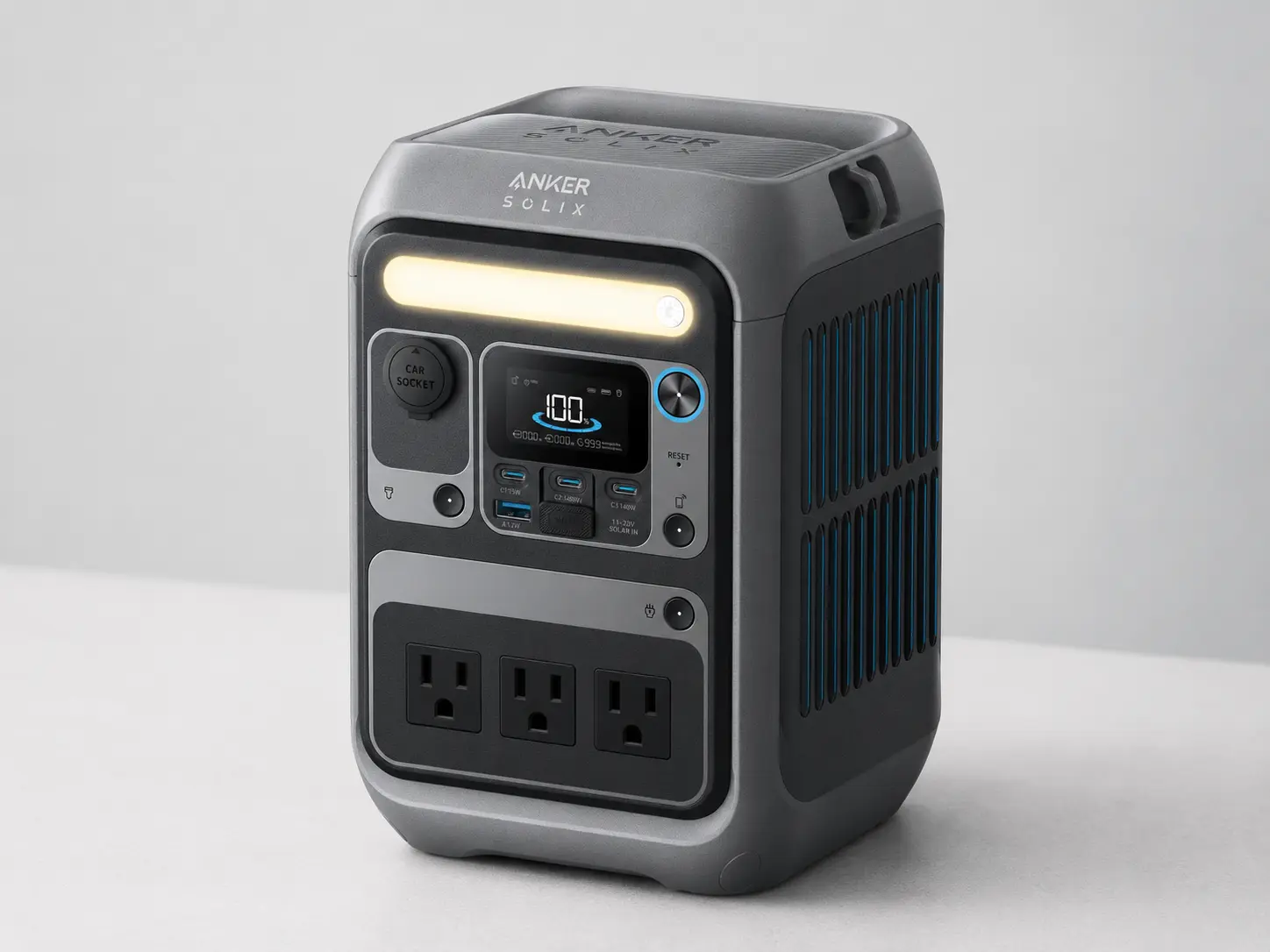
A small portable power station option for laptops that need an AC charger or for setups that are beyond normal power bank territory.
BrandAnker
Power
- Rated energy
- 288Wh
- AC output
- 300W with 600W surge
- USB-C output
- Two 140W two-way USB-C ports
Ports and use case
- AC outlets
- 3 AC outlets
- Best for
- Laptop setups that need the original AC charger, plus small backup power
- Not ideal for
- Everyday laptop bag carry or airline power bank use
Pros
- Solves cases where a USB-C power bank is the wrong tool
- AC outlets can power a laptop's original charger
- Much more energy reserve than normal laptop power banks
Cons
- Larger and heavier than a normal power bank
- Not the first fix for simple cable or USB-C PD problems
- Overkill if the laptop only needs 65W or 100W USB-C charging
What to do next
Use this order:
- Check whether the laptop supports USB-C charging.
- Check the original charger wattage.
- Test one laptop-rated USB-C cable.
- Disconnect every other device from the power bank.
- Check whether the power bank USB-C port supports enough PD output.
- If the power bank is too weak, replace it with the right output class.
- If the laptop needs its original AC charger, look at a portable power station instead.
Buy a cable if the setup is close but unreliable
- Best when
- The power bank has enough listed USB-C PD output, but the laptop will not charge with the current cable.
- Do not expect
- A cable to fix a power bank that only outputs phone-level wattage.
Buy a stronger power bank if output is too low
- Best when
- The laptop supports USB-C charging and the cable is fine, but the power bank cannot deliver enough wattage.
- Start here
- Use the 65W vs 100W guide, then compare laptop power bank picks.
Buy a portable power station if USB-C is the wrong path
- Best when
- The laptop needs the original AC adapter, or the setup is more like desk backup than bag carry.
- Do not expect
- A portable power station to be as small or travel-friendly as a normal laptop power bank.
FAQ
Why does my power bank charge my phone but not my laptop?
The phone needs less power. The laptop may need USB-C PD, higher wattage, a stronger cable, or a charging-capable USB-C port.
Can a 20W power bank charge a laptop?
Usually not in a useful way. A 20W power bank is normally phone-focused. Many laptops need 45W, 65W, 100W, or more.
Can the USB-C cable stop laptop charging?
Yes. A weak cable can prevent a laptop from getting the wattage the power bank is capable of delivering.
Why does my laptop say plugged in but not charging?
The power bank may be underpowered, the cable may be limiting output, or the laptop may be using more power than the bank provides.
Should I buy a new power bank first?
No. First check USB-C charging support, charger wattage, cable rating, and single-device charging. Replace the power bank only if output is clearly too low.
When should I consider a portable power station instead?
Consider a portable power station when the laptop needs its original AC charger, when USB-C charging is not supported, or when the setup needs much more backup capacity.