Quick verdict
This is a spec-based review, not a hands-on test. The goal is to judge the Anker 25K 165W by its listed specs, use-case fit, likely buying tradeoffs, and what a laptop user should check before choosing it.
The short version: this model makes the most sense for people who want a cleaner laptop charging setup with fewer loose cables. It is less about being the smallest power bank and more about being practical for a laptop, phone, tablet, or travel work bag.
If you are still comparing smaller 100W models, start with the separate guide to 100W USB-C power banks. If you are not sure whether your laptop can charge from a power bank at all, read how to know if a power bank can charge your laptop.
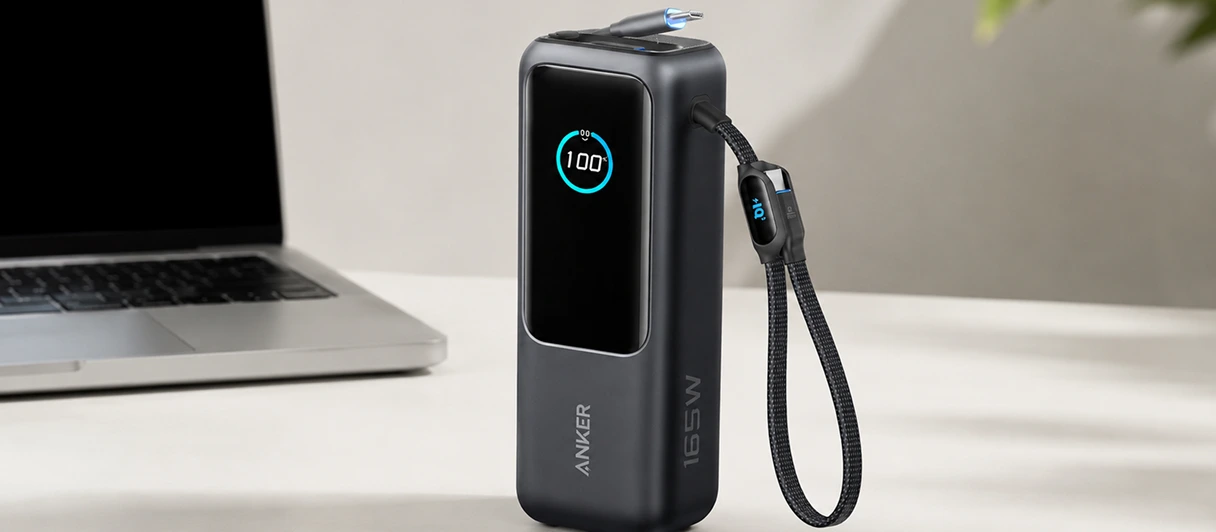
Anker Laptop Power Bank 25K 165W
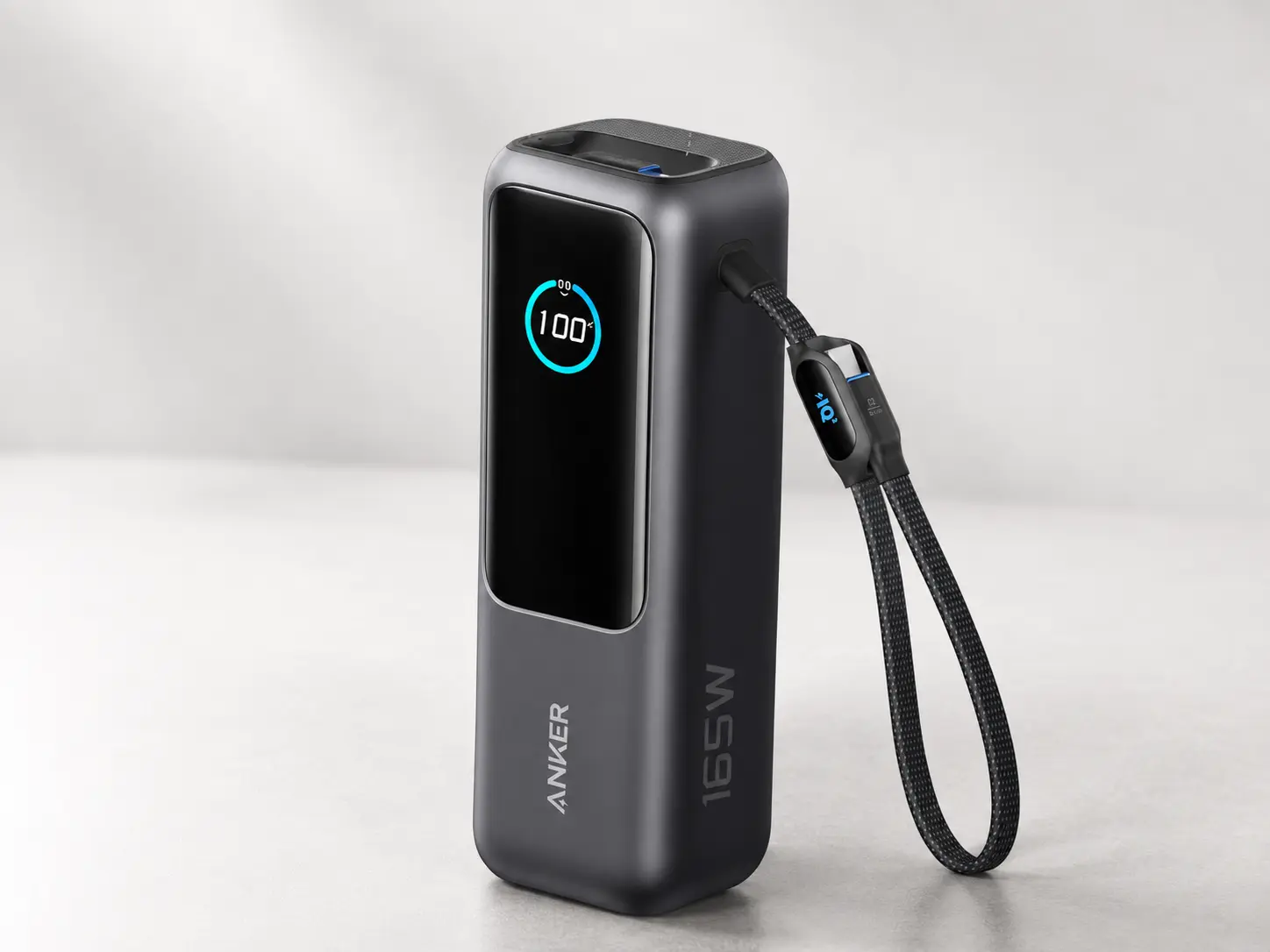
A strong all-round laptop power bank for USB-C charging, remote work, travel, and multi-device setups.
BrandAnker
Power
- Capacity
- 25,000mAh
- Max output
- 165W total
- USB-C output
- Triple 100W USB-C ports
Ports and cable
- Cable setup
- Built-in and retractable USB-C cable design
- Device support
- Listed for laptops, phones, tablets, and multi-device charging
- Cable note
- Built-in cables reduce cable clutter; confirm port behavior before buying.
Fit
- Best for
- USB-C laptop users who want one strong all-round power bank
- Not ideal for
- Phone-only users or laptops that do not support USB-C charging
- Travel note
- 100Wh airline compliance noted; travelers should still check airline rules before flying.
Pros
- Strong laptop-focused USB-C output class
- Built-in and retractable USB-C cables reduce cable clutter
- Good fit for remote work, travel, and multi-device charging
Cons
- More power than phone-only users need
- Confirm shared-output behavior before buying
- Still requires a laptop that supports USB-C charging
Who should buy the Anker 25K 165W?
The Anker 25K 165W is a good fit if you charge a USB-C laptop away from outlets and want one battery that feels organized instead of cable-dependent.
It makes the most sense for:
- laptop users who want up to 100W USB-C charging;
- remote workers who charge a laptop and phone during the same day;
- travelers who want a larger battery without moving into power station territory;
- people who often forget loose USB-C cables;
- users who like the idea of built-in and retractable USB-C cables;
- anyone who wants more total output headroom than a basic 100W bank.
The biggest reason to choose it over a simpler 100W power bank is convenience. A normal 100W bank can be excellent, but it still depends on carrying the right cable. This Anker model tries to remove that friction by building the USB-C cables into the power bank itself.
That does not make it automatically better for every buyer. It just means the product is aimed at people who value a cleaner travel or work setup.
Who should skip it?
Skip it if you only need emergency phone charging. This is too large and too expensive for that job.
Skip it if your laptop does not charge over USB-C. A strong USB-C power bank cannot fix a laptop that requires a barrel plug, proprietary charger, or AC adapter. In that situation, a portable power station or manufacturer-approved charger may make more sense.
Skip it if you want the cheapest possible 100W power bank. The built-in cable design and higher total output are part of the appeal, but they also push it away from budget territory.
Skip it if your laptop needs more than 100W from one charger and you expect wall-charger behavior under heavy load. The Anker can still help some demanding laptops, but it should not be treated like a full replacement for a high-wattage AC charger.
For cheaper 100W options, compare the best 100W USB-C power banks. For broader laptop picks, use the full best laptop power banks guide.
Charging setup: 100W single-device, 165W total
For laptop charging, the most important number is not the 165W headline. The more important practical number is the USB-C output available to one laptop.
Anker lists this model as a 25,000mAh power bank with triple 100W USB-C ports and 165W total output. That means it is built around laptop-relevant USB-C charging, not just phone charging.
The 100W side matters when one laptop is plugged in. The 165W total output matters more when several devices are connected. For example, a laptop, phone, tablet, or handheld device may all be part of the same mobile setup. A basic 100W power bank may be enough for one laptop, but it can feel more limited when the laptop is not the only thing charging.
Still, there are two things to remember.
First, not every laptop will pull 100W. The laptop decides what it can accept. A smaller laptop may draw less. A heavier laptop may need more than 100W to behave like it is on the original charger.
Second, the cable and port still matter. The built-in cables help, but if you use a separate cable, it needs to be rated for the wattage you expect.
Built-in cables are the main convenience feature
The built-in cable setup is the feature that makes this power bank feel different from many 100W alternatives.
For laptop users, cable convenience is not a small thing. A laptop power bank can have excellent specs and still fail in real life if the right cable is not in the bag. Built-in USB-C cables reduce that risk.
This matters most for:
- travel bags;
- commuting;
- remote work;
- shared family charging setups;
- people who switch between backpacks, desks, and luggage;
- users who hate carrying separate cables.
The tradeoff is durability. A loose cable can be replaced. A built-in cable is part of the product. If a built-in cable wears out, that is more annoying than replacing a separate USB-C cable.
That does not mean built-in cables are bad. It just means you should check recent Amazon reviews for cable durability, retractable cable feel, and whether buyers report issues after repeated use.
Capacity and travel use
The listed 25,000mAh / 90Wh capacity puts this power bank in a useful laptop range. It is large enough to matter for laptop top-ups and travel days, but still below the common 100Wh lithium-ion threshold used in many airline battery rules.
Do not read that as a guarantee that every airline will treat every situation the same way. Airlines and security rules can vary, and power banks should be checked before travel.
For practical use, think of this as a strong top-up battery, not unlimited laptop runtime. Laptop battery life depends on screen brightness, workload, battery size, background apps, and whether the laptop is sleeping or being used heavily.
This power bank is more useful for extending a work session, covering a travel day, or reducing outlet anxiety than for replacing a wall charger permanently.
If travel is the main reason you are buying, check the Wh label, airline rules, and recent buyer feedback before flying.
What stands out
The first thing that stands out is the combination of 100W USB-C laptop charging and built-in cable convenience. Many power banks can charge a laptop. Fewer are designed to make the cable situation this simple.
The second strong point is total output. A 165W total rating gives the product more multi-device flexibility than a basic 100W bank. That is useful if your normal carry includes a laptop and phone, or a laptop and tablet.
The third strong point is capacity. The 25,000mAh / 90Wh class is a good fit for people who want meaningful laptop backup without moving to a much larger portable power station.
The display is also useful. A display does not make a power bank charge better, but it can make the charging setup easier to understand. For laptop charging, seeing remaining battery and output behavior is more useful than a simple four-dot battery indicator.
Where it may disappoint
The first drawback is price. If all you need is a simple 100W power bank, there are cheaper options.
The second drawback is size. This is not the kind of battery most people will throw into a pocket. It belongs more in a backpack, laptop bag, or travel pouch.
The third drawback is that built-in cables are both the advantage and the risk. They reduce friction, but they also create a long-term durability question. A replaceable cable is easier to swap if something fails.
The fourth drawback is that this is still not a power station. It does not replace an AC outlet setup. If your laptop needs its original AC adapter or your backup needs include monitors, routers, or other small appliances, a portable power station is a different category.
The fifth drawback is laptop compatibility. A 100W USB-C power bank is useful only when the laptop can charge over USB-C and can work within that output range.
How it compares with a cheaper 100W option
The Anker 25K 165W is not the only sensible laptop power bank. A simpler 100W model can be the better buy if you do not need the built-in cable setup or extra total-output headroom.
| Ref | Product | Capacity | Max output | Best for |
|---|---|---|---|---|
| 1 | Anker Laptop Power Bank 25K 165W | 25,000mAh | 165W total | Best overall laptop power bank |
| 2 | Baseus 100W Power Bank 20,000mAh | 20,000mAh | 100W | Slimmer 100W laptop charging setup |
Choose the Anker if cable convenience, higher total output, and larger capacity matter. Choose a cheaper 100W option if you mainly want one laptop charging port and do not mind carrying a separate cable.
The Anker makes more sense as a premium daily-carry battery. A cheaper 100W bank makes more sense as a straightforward laptop backup.
Better alternatives to consider
Choose a 20,000mAh 100W power bank if you want something cheaper and simpler. That class is usually enough for many USB-C laptops and is easier to justify if built-in cables are not important.
Choose a compact 10,000mAh 100W power bank if you only need emergency laptop top-ups and want the smallest possible carry. The tradeoff is runtime.
Choose a higher-output power bank if your setup includes several USB-C devices or a demanding laptop that benefits from more headroom.
Choose a portable power station if the laptop needs an AC outlet or if the backup setup includes more than USB-C devices.
For a broader product list, compare Best Laptop Power Banks. For a narrower wattage class, compare Best 100W USB-C Power Banks.
Final verdict
The Anker Laptop Power Bank 25K 165W is worth considering if you want a laptop-first power bank with 100W USB-C output, built-in cables, and enough total output for multiple devices.
It is not the cheapest way to get 100W laptop charging. It is not the smallest option. It is also not a replacement for an AC power station.
But if you want one cleaner battery for a laptop bag, travel setup, or remote-work day, the combination of 25,000mAh capacity, 100W USB-C charging, 165W total output, and built-in cables makes sense.
The best buyer is someone who already knows their laptop charges over USB-C and wants convenience as much as raw wattage.
FAQ
Is the Anker 25K 165W good for laptops?
Yes, it is built for laptop-relevant USB-C charging. The key is whether your laptop supports USB-C charging and can work with 100W input.
Can it charge a MacBook?
It can be a good fit for many USB-C MacBook setups, but the exact charging behavior depends on the MacBook model, workload, and cable/output conditions.
What does 165W total output mean?
It means the power bank can provide up to 165W across devices in supported conditions. For one laptop, the more important number is the available USB-C output to that laptop.
Is 100W enough for a laptop?
For many USB-C laptops, yes. For heavier creator, gaming, or workstation laptops, 100W may help but may not match the original wall charger under load.
Are the built-in cables worth it?
They are useful if you often forget cables or want a cleaner travel setup. The tradeoff is that built-in cable durability matters more than it would with a separate replaceable cable.
Can you fly with the Anker 25K 165W?
Anker lists the battery at 90Wh, which is below the common 100Wh lithium-ion threshold, but you should still check the airline rules and carry-on requirements before flying.
Is it better than a cheaper 100W power bank?
It is better if you value built-in cables, higher total output, and larger capacity. A cheaper 100W bank may be better if you only need basic laptop backup.
Who should skip it?
Skip it if you only charge phones, need the smallest possible battery, need an AC outlet, or have a laptop that does not charge over USB-C.